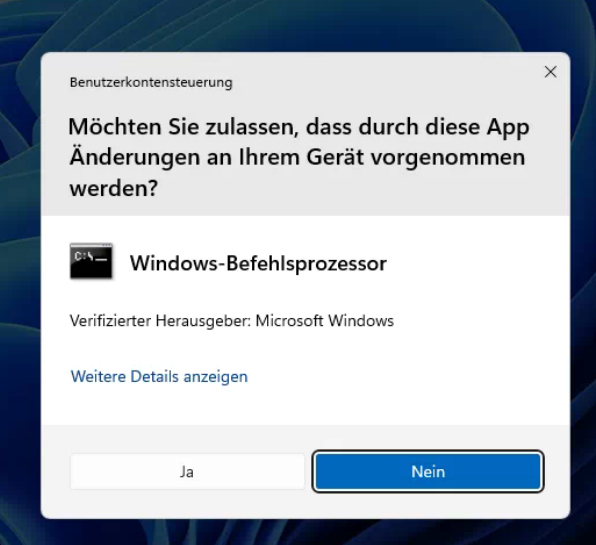
Admin rights in everyday work

An underestimated danger for companies
Admin rights in everyday work - a frequently ignored risk

Using admin rights in everyday work is risky. In many small and medium-sized companies, admin rights are granted far more generously than would be technically necessary. What seems convenient in daily work, reduces queries and speeds up processes can lead to considerable security, liability and organisational risks in the long term.

“I always work with administrator rights – otherwise it doesn’t work for me.” We hear this sentence again and again from new customers – from employees as well as from management. At first glance, it sounds understandable: everything works, nothing is blocked, no queries or approvals are needed.
In short: it saves time. But it is precisely this convenience that is deceptive.

From our practical experience we know: Working with administrator rights in everyday work is one of the biggest and at the same time most underestimated IT security risks in companies. This practice often persists for years without ever being consciously questioned. In this article, we show why it is so risky – and why a clear separation between working and administering makes the decisive difference.


What are administrator rights?

Admin rights are not necessary for daily work

An administrator account has far-reaching rights. Among other things, this means it can:

  • install programs
  • change system settings
  • bypass security mechanisms
  • access all areas of the system

These rights are necessary for setting up, maintaining and managing IT systems. For daily work with standard applications – such as Exchange, Microsoft 365 (Outlook, Word, Excel, Teams), accounting software or internet access – they are, however, not required and are simply oversized.

That is why we follow a clear principle:
Daily work and administration are two different tasks – and should also be carried out with different rights.

Why are permanent admin rights in everyday work dangerous?

“A normal user account limits damage. An administrator account amplifies it.”

Anyone who permanently works with administrator rights significantly increases the security risk in the company. There are several reasons for this:

One wrong click on an infected e-mail attachment or a manipulated website is enough. If the user is working with administrator rights, malware immediately gains far-reaching access and can embed itself deep in the system – often unnoticed.

Mistakes happen even without malicious intent. With administrator rights, an incorrect setting or a careless click affects not only your own workstation but can also impair other users or even the entire network.

Many protective functions are designed to prevent critical changes or at least make them visible. However, anyone who permanently works as an administrator automatically bypasses these protective mechanisms and thereby removes an important level of security for themselves.

Too many admin accounts in use: a risk to security and traceability

If a fault or a security incident occurs, it is not enough to know only the current state of the systems. What matters is understanding how it came about. To do this, it must be traceable:

which changes were made
• when they were made
• and whether they are related to the incident

Only with clearly separated, personal user accounts is it possible to identify where a problem arose, by which route malware was able to enter the system and which measures are necessary to prevent it from happening again.

This is expressly not about monitoring individual employees or looking for someone to blame. Traceability serves to identify causes more quickly, close vulnerabilities in a targeted manner and restore secure operation. However, if several people work with the same administrator account, this traceability is no longer available when it matters most. This is particularly relevant for company management, as responsibility for IT security, data protection and availability always lies organisationally with the management – regardless of who looks after the IT.

Anyone who permanently uses admin rights in everyday work can thereby bypass security mechanisms.

Administration is not an everyday task, but a responsibility in its own right

Separate user and administrator rights: the extra effort pays off

Es zeigt, wie sich jemand an seinem Laptop mit einem Benutzerpasswort authentifiziert.

We frequently hear these objections:

“I constantly need admin rights in everyday work.”
“That takes too much time.”
“We have always done it this way.”

Yes, separate user accounts mean a small amount of extra effort in everyday work. However, our experience clearly shows: when it matters, this effort pays off. Unplanned outages, security incidents or data loss almost always cost significantly more time, money and nerves than proactive and planned security measures.

We therefore recommend a clear, proven approach to our customers:

• Each person works with a personal user account
• Administrator rights are used only when needed
• Administrative tasks are carried out deliberately and purposefully
• There are clear rules on who is granted administrator rights

This approach corresponds to the current state of the art and is also a basic requirement of cyber insurers.

Conclusion

Separating user and administrator rights is not about taking rights away from anyone or making workflows unnecessarily difficult. The aim is to maintain security, control and the ability to act – even when something does not go according to plan.

Anyone who works with a normal user account in everyday work loses no functionality. They gain security and stability. Administrator rights remain available when they are really needed. However, they are used deliberately, purposefully and traceably.

It is precisely this structured separation of working and administering that our customers value in us. It protects systems, data and ongoing operations – with manageable effort and lasting effect. Because it is not fewer rights that provide more security, but the right rights at the right time.

Clear assignment of rights is a central building block of modern IT security.
We support you in the implementation with field-tested concepts and clear recommendations. Get in touch with us!

FAQ

No! Normal user rights are perfectly sufficient for office and specialist applications.

Security always comes with a certain degree of reduced convenience. Compared to the consequences of unplanned security incidents, however, the advantages of a stable and well-thought-out security architecture clearly outweigh this.

User rights allow daily work with applications. Administrator rights are intended for setup, maintenance and system changes and should only be used purposefully and deliberately.

Yes, the same security principles apply to management as well. They too should only work with a separate user account in everyday work.

Yes, administrators must not use administrator rights in everyday work either. This protects not only the IT systems but also the IT administrators themselves.

Free whitepaper: managing administrator rights securely

How risky are permanent admin rights in your company?
Find out how to design permissions securely and efficiently.

Enter your e-mail. Download the whitepaper. Strengthen your IT security.


Take the next step towards clear and secure IT rights.

MCL Computer-Spezialisten.de GmbH