
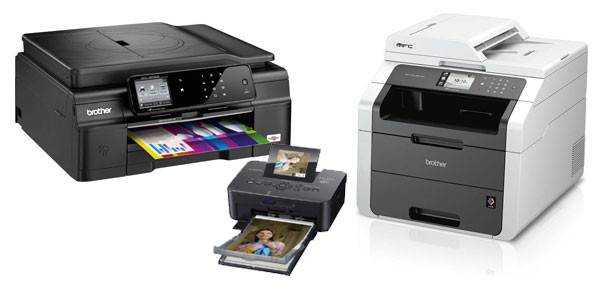
Which printer should you buy?
Choosing the right printer is not easy. Here you will get tips on how to find the right printer nonetheless -> With checklist to download!
Which printer is the right one?
Unfortunately, the printers of recent years are no longer like those of 10 years ago. If a printer lasts 5 years today, you can be very satisfied. Precisely for this reason, as an independent system partner we find it difficult to recommend a printer to our customers, because THE printer does not exist; it is rather a search for the best one that fits the requirements.
But which criteria are important, and what should you as a buyer pay particular attention to?
How to go about buying a printer
To begin with, the requirements you as a buyer place on the printer must be defined. For printers used privately, these can be, for example, the following:
- Print format: photo format, A4, A3 or even larger?
- Colour or black-and-white printing?
- Multifunction (scanning, printing, copying and possibly faxing)?
- Print quality or photo printing?
- Paper supply and number of paper trays?
- Double-sided printing (duplex), possibly with double-sided scanning?
- For one or several PCs?
- Speed
Some of the criteria directly dictate certain technologies. For example, photo printing with a laser printer is only possible to a limited extent. But precisely this decision is very relevant for the price and durability of the printer. So here are the advantages and disadvantages of laser versus inkjet printers:
| Laser | Ink | Conclusion | |
| Purchase price | – | + | However, the price advantage when buying an inkjet printer is quickly offset by the running costs. |
| Running costs | + | – | Anyone who prints a lot should opt for a laser printer. |
| Weight/size | – | + | Inkjet printers are smaller and lighter. |
| Noise level | – | + | The inkjet printer is very quiet when printing. |
| Susceptibility to errors | + | – | Anyone for whom durability is important should opt for a laser printer. To prevent the print heads of an inkjet printer from drying out, be sure to switch it on/use it regularly. |
No perfect decision
As you can see, both technologies have advantages and disadvantages. So you have to make compromises. We therefore advise deciding on the following questions:
- Does it have to be a colour printer, or is a black-and-white printer sufficient?
Black-and-white laser printers are hardly larger than inkjet printers and cost a similar amount to buy. However, since they are significantly more reliable and their printing costs are usually below those of inkjet printers, it is worth buying a laser printer – provided you can do without colour printing. Incidentally, the black-and-white devices can also scan in colour. - Do I need to print photos?
Anyone who wants to print photos in lab quality has to go for an inkjet printer. Although the quality of colour laser printers on plain paper is now really good, they still do not reach the quality of inkjet printers.
Decided? What else do you need to look out for?
Once the decision for a technology has been made, you should always (among other things) pay attention to the following criteria:
- Duration and type of manufacturer’s warranty
Only a few printers have a 3-year warranty. Anyone who has to send the printer in for warranty service thinks twice about doing so, so be sure to prefer printers with a 3-year on-site warranty. It should also be noted that many manufacturers offer different warranties for different devices. - Cost of ink or toner
Separate inks for each colour are now standard for inkjet printers, but there are still a few devices that only have one cartridge for all three colours. With laser printers, too, you should take a look at the price of the toner; as a rule, the toner prices of larger printers are cheaper than those of the small devices. So anyone who prints a lot often saves money by choosing a larger model. A further advantage is that the other wear parts of a laser printer then only need to be replaced much later. - Connection type
A network printer should always be preferred. Not only can you usually also print from mobile devices, but printing from several PCs is also possible without complications. Furthermore, you can, for example, also put a Wi-Fi-enabled printer in a cupboard (provided there is a power connection).