Windows 11 is here!

What Windows 10 users need to know about Windows 11
Windows 11 Desktop

All eyes are on the new Windows 11 upgrade, which was released today. Find out in this article what new features and requirements come with it and how much longer Windows 10 will be around.

Who is Windows 11 available for?

Contrary to all previous announcements, there will now be a successor to Windows 10 after all. The new operating system has been available since 5 October 2021. Initially, however, it is only available pre-installed on new PCs. A free upgrade from “old” Windows 10 devices is expected for compatible devices at the end of 2021/beginning of 2022. However, you can already download an installation assistant from the official Microsoft website.

What visual and technical innovations are there?

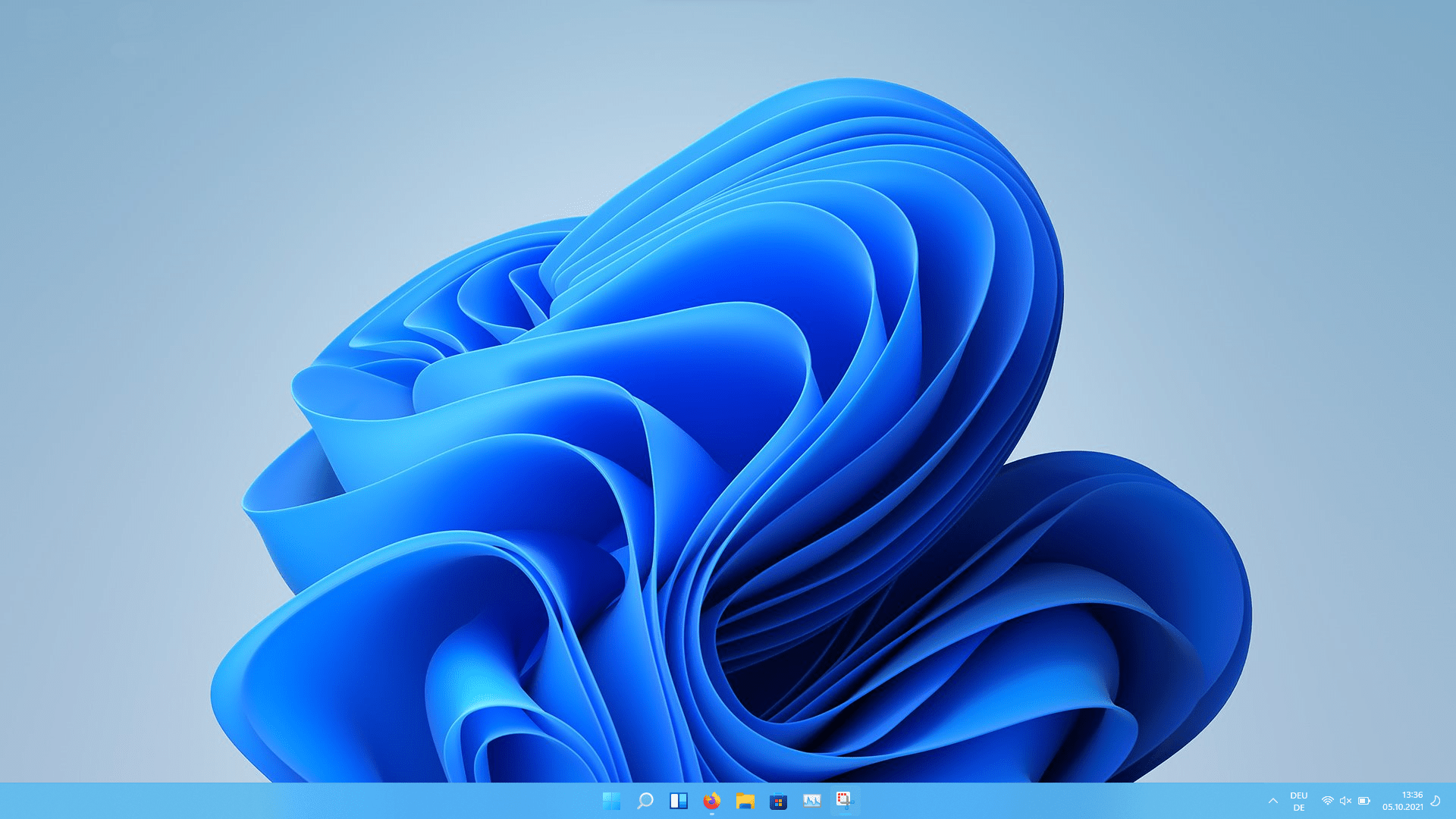
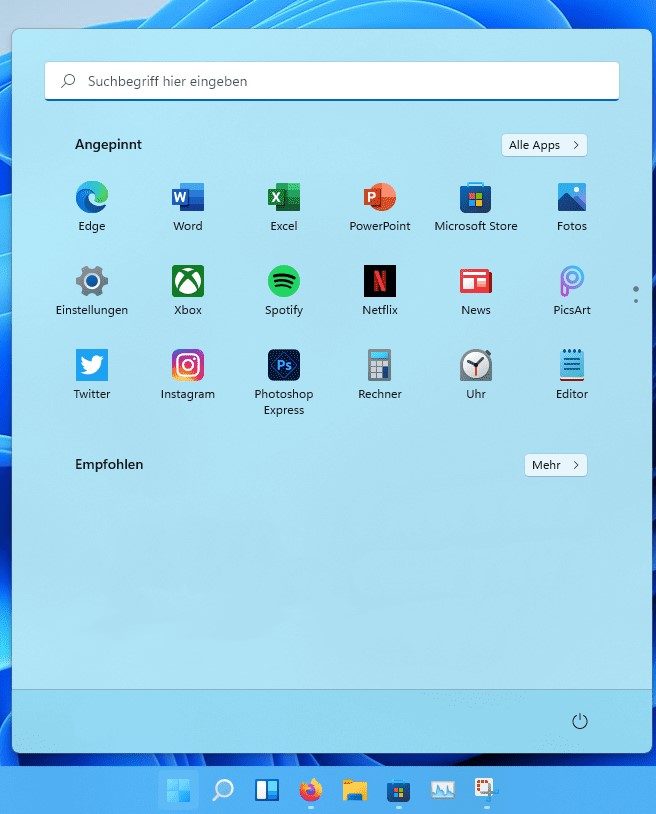
The visual appearance is modern in design and significantly reduced. It almost reminds us of competing products. Where the Start menu used to be left-aligned, it is now floating and centred on the screen by default. As monitors are generally getting wider and wider, this is certainly a good decision that Microsoft has made here. Anyone who does not want this, however, can still arrange the Start menu left-aligned.

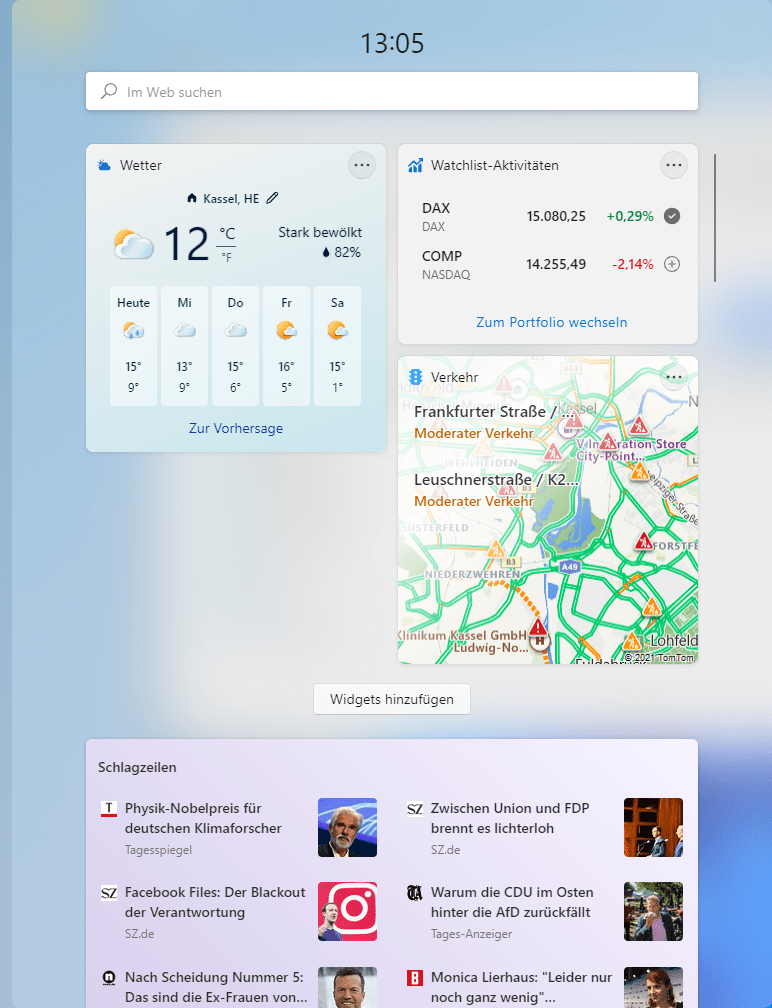
The angular edges of the menu display have given way to soft rounded corners. This can be seen in the widgets, which display, for example, the weather or traffic reports. The widgets have also changed their position in the taskbar and are now fixed next to the search icon.
Windows 11 Startmenü
Windows 11 Widgets

In its latest operating system, Microsoft works with very reduced, dynamic icons in its Start menu. Under the “Pinned” section, not all programs are shown at once any more, but only the 18 most frequently used. If more than 18 programs are pinned, you have to scroll. For an overall view of all programs, simply click on “All apps”.

The “Recommended” section contains all recently opened files and the most recently added apps from the Microsoft Store.

The search bar is now fixed at the top of the Start menu, and the user account and the power button at the bottom.

The technical changes that we can currently glean from the beta version are not all that revolutionary. The innovations known so far are primarily visual in nature. Nevertheless, there are a few technical changes that are of interest to you as a user.

Where do I find tablet mode in Windows 11?

Tablet mode, which was still available in Windows 10, has been removed in Windows 11. According to Microsoft, however, the new Windows fully automatically recognises what kind of device it is and switches to a suitable mode accordingly.

Is there still a 32-bit version of Windows 11?

Please note in particular that there will no longer be a 32-bit version of Windows 11. For 32-bit Windows 10 installations, a fresh installation is therefore mandatory.

Do you need a Microsoft account to use Windows 11?

In addition to an internet connection, Microsoft requires a Microsoft account to use Windows 11 Home. We currently assume that such an account will only be required for certain functions in Windows 11 Pro. For normal use of Pro, no Microsoft account is (yet) required as things stand

Where do I find my Skype in Windows 11?

The meeting tool Microsoft Teams is now an integral part and already pre-installed. Other meeting tools such as Skype have to be downloaded separately as an app.

Where do I find Internet Explorer in Windows 11?

Anyone who is used to working with Internet Explorer will search for it in vain. Because with Windows 11 there will only be Microsoft Edge. However, anyone who relies on Internet Explorer (IE) can use Microsoft Edge for this, as it also includes an IE mode.

Can you install Android apps?

neuer Store

With the new Windows, Android apps can now also be installed directly on the PC. However, not all apps are available here, only a smaller selection. The number is expected to increase over time.

Can program views be arranged differently in Windows 11?

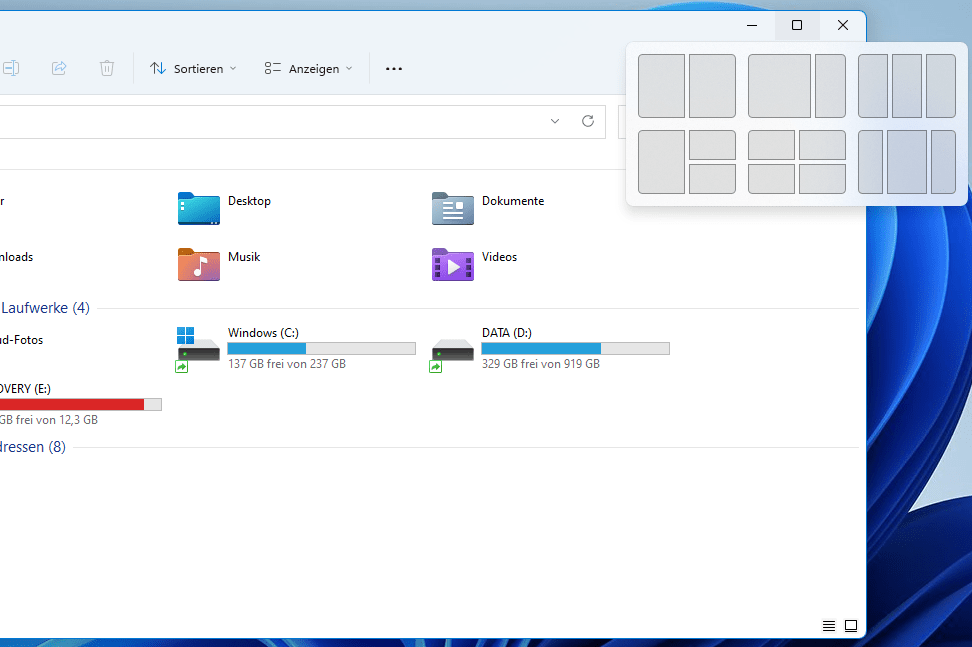
In Windows Explorer and in Microsoft’s Office packages, the screen layouts can be adjusted using 6 different layout presets. This ensures a clear and therefore efficient working environment without third-party software.

Windows 11 Spalten
neue Kacheln

Where is Cortana?

The start-up sounds are switched back on in the new Windows operating system. Otherwise, however, things are generally getting a little quieter, as the voice assistant function Cortana now only exists in the background but is no longer activated by default.

Do old applications work on Windows 11?

As things currently stand, Windows 10 applications can be run and installed on the new operating system without any problems.

What will Windows 11 cost?

For some, the upgrade is available free of charge, for others it is not. We have tried to summarise this for you.

From now on, the operating system will be available pre-installed on new PCs. The upgrade from Windows 10 to Windows 11 expected from the end of 2021/beginning of 2022 is free of charge and does not require any additional software. However, Microsoft has also announced that the free upgrade to Windows 11 will only be available until 2022. Whether Microsoft will keep its word remains to be seen. The cost of a standalone Windows 11 key (without PC) has not yet been announced.

Update auf Windows 11

Switching from Windows 7 and Windows 8 to Windows 11?

According to current information, switching from Windows 7 and Windows 8 to the latest operating system is subject to a charge. Here it may be worth checking whether an upgrade to Windows 10 beforehand is sensible and possible at all.

What are the minimum requirements for Windows 11?

Windows 10Windows 11
ProcessorAt least 32-bit processor, preferably 64-bitAt least 64-bit processor (no 32-bit version available any more!), at least 2 cores
Hard disk space16 GB for 32-bit or 20 GB for 64-bitAt least 64 GB of free storage
RAM1 GB for 32-bit or 2 GB for 64-bit4 GB, 8 GB recommended
TPMnoneTrusted Platform Module (TPM) version 2.0
Graphics cardDirectX 9 or higherCompatible with DirectX 12
Internet connectionThe internet connection is required for updates as well as for downloading and using some functions.Required for Windows 11 Home:
– Internet connection
– Microsoft account

Required for Windows 11 Pro:
– Internet connection
– no Microsoft account required, or only necessary for certain functions

How much longer will Windows 10 be available?

Windows 10 Home and Pro are expected to remain available and receive updates until 14 October 2025. After this date, Windows 10 will no longer be supported and will no longer receive any updates.

Windows 10 vs Windows 11 – is switching worthwhile?

Unfortunately, we cannot currently give a blanket one-sentence answer as to whether switching is worthwhile. The changes in Windows 11 are mostly visual, and the technical changes are really only marginal. So for now, a switch still has to be weighed up individually. What we do like, however, is the improved look and the new window arrangement for displaying programs, which makes working much easier, especially on large screens. We also like the fact that Cortana is deactivated and that Android apps are now available.

What we think is not so successful is that, at least with Windows 11 Home, a Microsoft account is mandatory and that there are still too few Android apps in the Microsoft Store available for PCs. We also see inconsistencies in the minimum requirements. Requirements such as prescribed hardware features like TPM 2.0 and the supported processors are indeed prerequisites, but we have already found that Windows 11 also runs on older systems that do not meet these requirements.

Desktop mit Startbildschirm

What speaks for installing it right away?

In our experience, rather few serious errors can be found in the beta version. The beta version runs relatively smoothly on our (officially unsupported) test system (7th generation i5). For anyone who uses large screens, Windows 11 is certainly a good alternative, and the new features are also very appealing, provided you need them.

What speaks for waiting?

From experience, we can say that the release versions of Windows tend to be less stable than the subsequent versions. Anyone who currently still has an incompatible device is currently forced to wait, unless they buy a new device.

MCL Computer-Spezialisten.de GmbH